

I’ve been building systems in the back end of businesses for the past decade. I teach entrepreneurs how to get organized, focused and get more of the right work done.
I personally get more done in a day than most people do in a week. And people are absolutely shocked to find out I’m not a naturally organized person.
For the past 10+ years, Asana has been the single most important tool in my business for helping me organize, prioritize and get shit done.
And as an Asana Service Partner, I’ve helped hundreds of business owners implement and use it to do the same.
Asana is the one tool that helps me:
a) Trick everyone into thinking I am super organized 😉
b) Get more things done that move my business forward
It helps me hyper focus on the most important things and capture all the other things that I don’t want to lose but aren’t a priority right now.
This is possible because of two mini systems I use in Asana and I'm going to teach you both.
And this all works on the free Asana plan.
I’m going to show you the systems to use in Asana to make life and business much more manageable.
(If you’re brand new to Asana, watch this quick tour first, then come back.)
A common state of affairs
For most micro and solopreneur businesses, the business lives primarily in your head and the rest is scattered across your:
Inbox
Notes app
Calendar
Notebooks
Random docs
You do deep, important work but it gets lost or forgotten as you get pulled in different directions.
You’re often working on what’s noisy or on fire.
But, there’s a constant low-level of anxiety and overwhelm that you’re forgetting something, that you should be doing more, that you’re behind.
It might feel like if you just sat down and thought hard enough, you’d finally figure this out and solve the overwhelm.
This system entirely solves this issue.
Everything I’m about to teach works in any tool — a notebook, a spreadsheet, Airtable, Asana. I use Asana because it’s easy and free.
But, first, the foundational productivity principles that make the systems work.
Capture open loops
Something that causes an incredible amount of stress, disorganization, cognitive strain, and balls dropping are open loops.
Open loops are where you keep thinking about something because it’s unfinished.
The follow-up email, the thing you promised a client, the idea you had in the shower, the bills you need to pay — as long as they live only in your head, your brain keeps them running so it won’t lose them.
The solution is to get every open loop out of your head and into a trusted place. If you give every open loop a home outside your head that your brain trusts, you stop the loop from running in the background.
No more to-dos on random post-its, in three notebooks, waking you up at 2am to remind you to get it done.
The key though is that they go in ONE place which brings me to the second productivity principle.
Centralize your to-dos
You want to capture all your open loops in one place.
Because if you have them in more than one place then you don’t know where to go to find things.
Half-systems don’t work.
If you capture some things, some of the time you don’t get the relief of knowing your system has your back.
When you put everything in one place it is MUCH easier to prioritize.
If you’re in your email, you’ll respond to your most important email.
When you’re in your notes app, you’ll handle the most important thing there.
Putting them all in one place means that you can prioritize the most important things. Period.
So, mini system #1 is: how to manage your tasks in Asana.
Let’s walk through how to set them up in Asana to capture open loops and have it automatically remind you when you need to do something.
Set up your tasks in Asana
So, now that it’s clear that your open loops need a home and that you want to keep all open loops in one place, let me show you how this works in Asana in 5 steps.
I’m going to show you how to automate your tasks based on due date using Asana’s built-in features.
Step #1. Meet “My tasks”
Navigate to the “My tasks” section on the sidebar on the left under “Work.”
You should see some default sections like this:
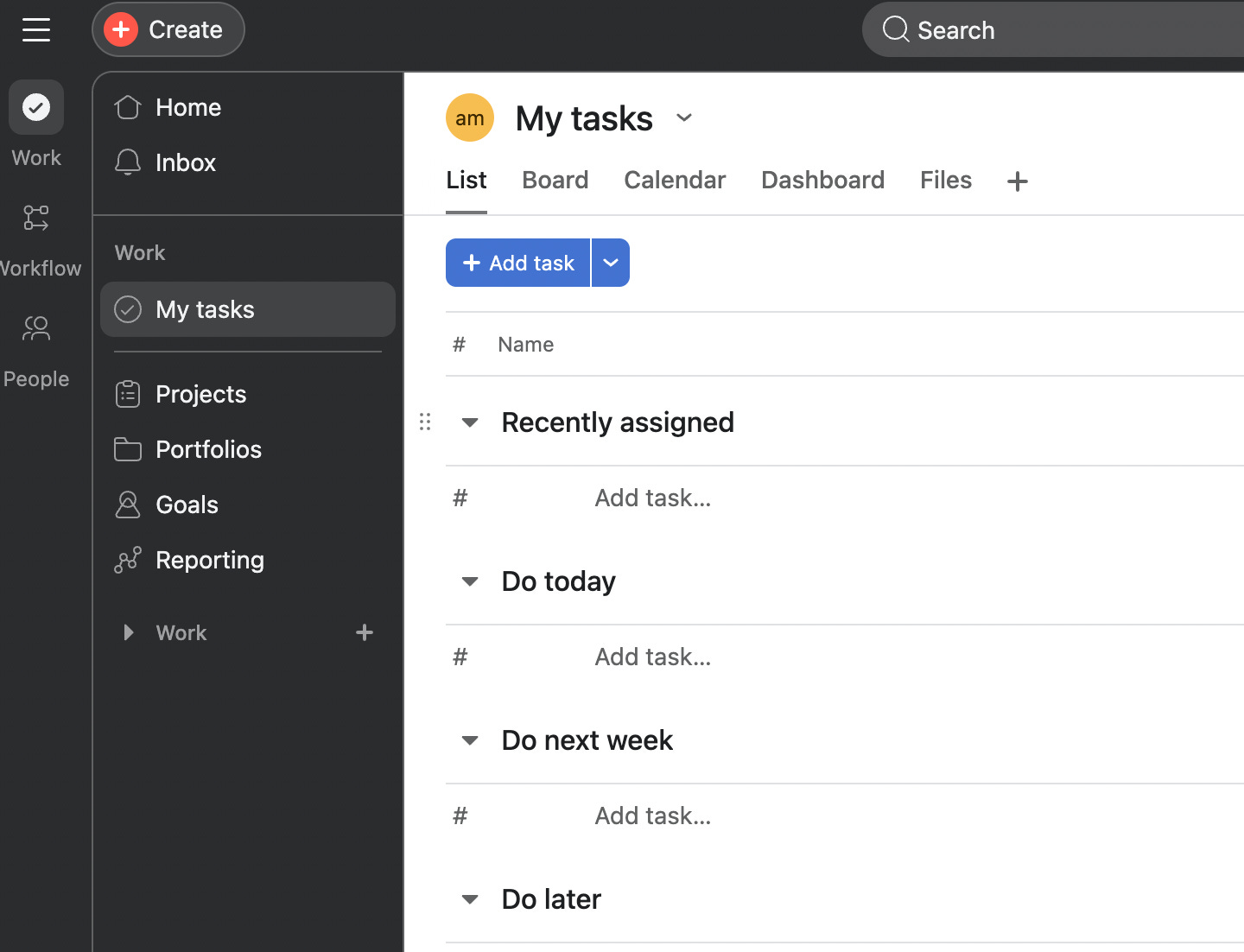
Any task in Asana that is assigned to you will show up in your “My tasks” view. If it isn’t assigned to you, it won’t show up here.
You’ll want to make sure every action item that you need to do is assigned to you with a due date so that you can manage all your tasks across projects here.
2. Capture every open loop
This is where we want to capture all the open loops you have in your business. We want to get everything out of your head and into this My tasks section (under “Recently assigned” works).
Go through your calendar, your notes app, your notebooks, and anywhere else you keep items you need to take care of.
Each action item is a task and should start with a verb so it is very clear what action to take.
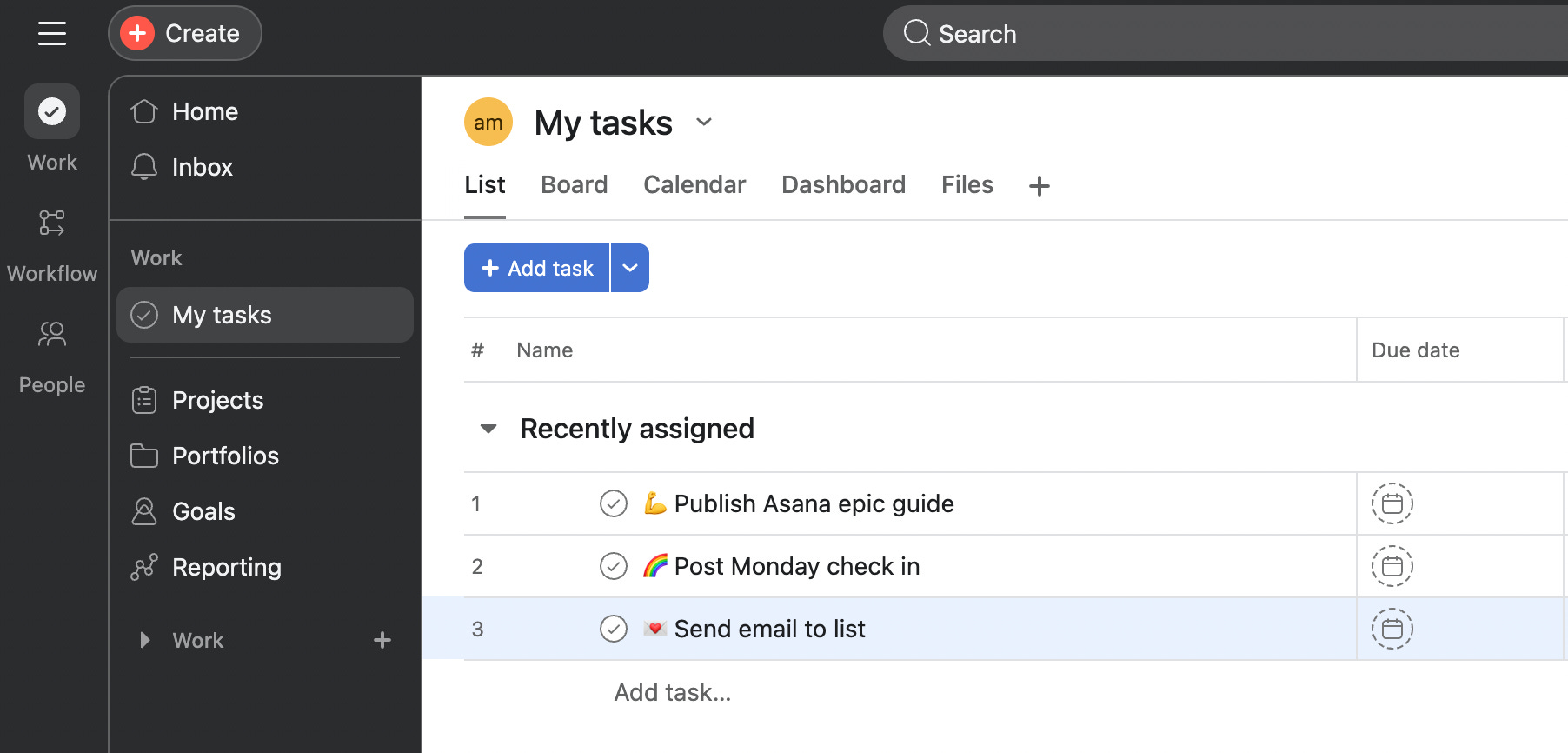
You’ll end up with a list of action items as above.
3. Give each task a due date
Next, we want to make sure every task on your task list has a due date. The due date is what makes Asana’s built in task automation work.
If you have items that do not have a real deadline (no specific date they need to be done by), then set a due date based on the next time you want to be reminded about that action item.
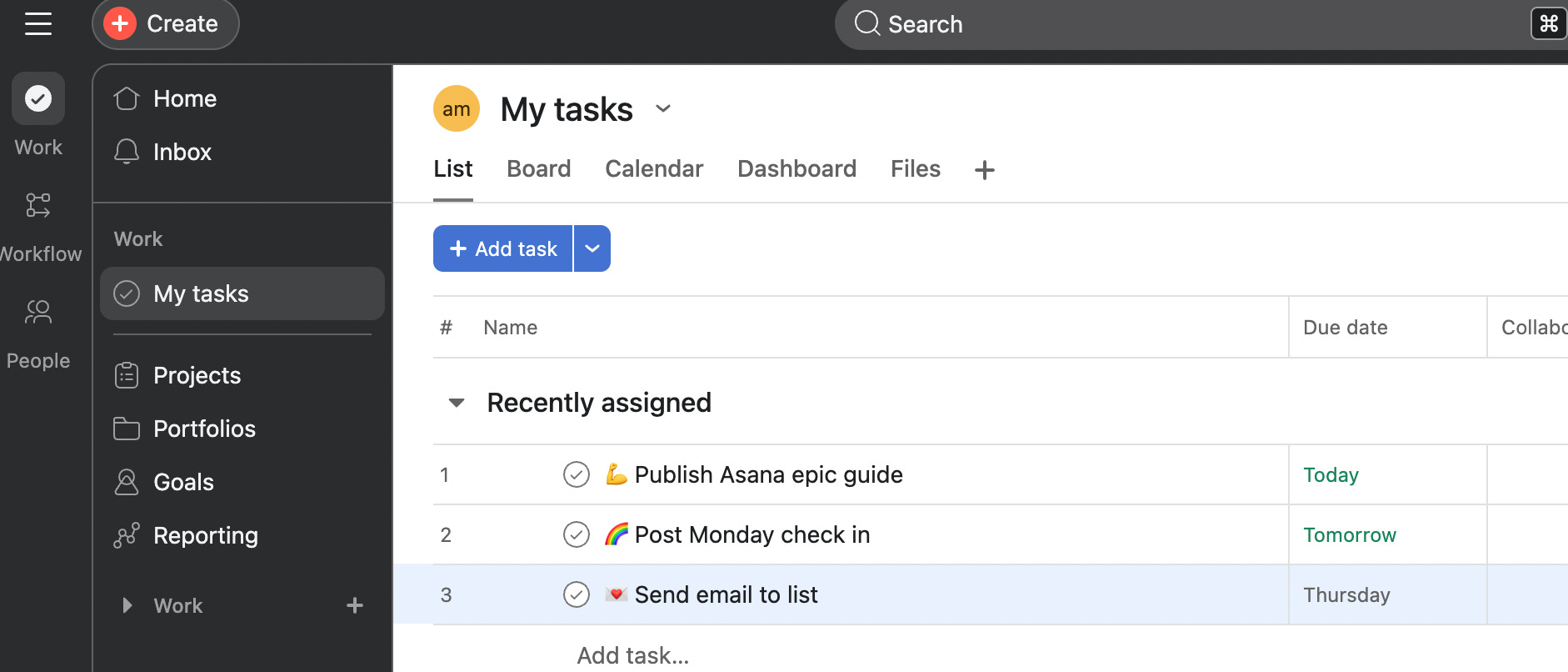
If there is something due on a specific day, but you need to know about it a week ahead of time, set the due date as the DO date. The date you want to DO that thing or at very least be reminded about that thing.
Go through each item on your list and set a due date. There should be zero tasks on your task list that do not have a due date set.
4. Set up your auto-promotion
Asana has a built-in feature that automatically moves tasks on your task list based on due dates. This lets you prioritize tasks into different buckets and focus on what’s on your plate for today.
In order to get this in place, you need to set up two rules in your Asana task list, and this is available on the free plan.
Here’s a quick walk-through to set up the two rules you need:
5. Your daily habit
The most important thing about this system is to lean infully into it. For a short time, commit to putting everything into Asana until it becomes a habit.
This mini system helps you manage everything on your plate while Asana supports you in bringing forward the most important things on any given day.
It is deceptively simple and when you really lean into, this mini system alone can be life-changing.
Now, onto mini system #2 that takes this to a whole other level.
Ruthless prioritization is a superpower
There is an overwhelm epidemic and people often think that they just need more time.
But, overwhelm is a stress response.
It’s the stress that fires when your brain judges that the demands in front of you exceed your resources to handle them.
It comes from doing one thing and not feeling like you have the time or capacity to do all the other things.
You answer an email and worry about the proposal. You write the proposal and worry about the launch. Nothing gets your full attention, because everything feels urgent at once.
The way out is choosing one thing at a time and having a “queue” of what’s next.
Otherwise known as prioritization. 😅
But, I add the word ruthlessly in front of it because I recommend that you fully choose your top priority and detach from what you aren’t choosing right now.
Over and above the daily operations that keep my business running, I ruthlessly prioritize. I pick the one thing that matters most right now, and I give it everything. I hyper focus on one thing to get it done.
And I fully put down the things that are not the priority right now.
You can’t focus on one thing when you’re subconsciously (or consciously) stressed out about everything you’re not doing in that moment.
Which is why going through the process of prioritization is so powerful.
You choose the one thing but you create an order of operations for everything else so your brain can relax.
You know your focus right now, and you know that everything else will have its time. But, it waits — off your plate, out of your head (in Asana).
So, as opposed to having things on the back burner that you feel like you should be doing, things on the back burner are there because you CHOOSE to put them there.
You set things down on purpose and intentionally choose to focus on something more important.
It’s hard to convey how well this works.
The pressure of doing all the things right now and feeling behind is essentially gone in my world.
When I get to the end of a week and something didn’t happen, I don’t spiral. It’s clear — I chose something else.
There is no mystery about why a result isn’t showing up yet. I can see the trade I made. I chose it.
That’s ruthless prioritization.
Juggling less, doing more but better.
You make a habit of majoring in the majors (as opposed to the minors).
You say no to everything that isn’t required for day-to-day operations or the one problem or project you’re focused on right now.
And it’s a skill, which means you can build it.
So, mini system #2 is: your project queue.
You can do this with a simple list, with pen and paper.
I use Asana for this.
Upgrade to keep reading and build mini system two in Asana with me. 👇